最初の一歩を手伝います。
アプリ内のチュートリアルツアーを追加。初めてBoardを開く人も、モジュールを置いて音を鳴らすまで、画面の案内に沿って操作できます。

Windows/Mac版 販売中
音をつなぐ。グルーヴを組み立てる。
NINZYA Board 1.2.1は、音源やエフェクトを自由に配線し、そのままグルーヴボックスとして演奏できるツールです。オーディオとMIDIをつなぎ、内蔵モジュールでパターンを作り、BOX画面で演奏します。スタンドアロンアプリと、AU/VST3プラグインとして使えます。スタンドアロン版では、Ableton Linkを使って他人とのセッションも可能です。
アプリ内のチュートリアルツアーを追加。初めてBoardを開く人も、モジュールを置いて音を鳴らすまで、画面の案内に沿って操作できます。
NINZYA Board M(別売り)で書き出したプロジェクトを、Mac・WindowsのBoard 1.3.0で読み込み、制作の続きを進められます。(対応していないプラグインが含まれる場合は、空のラックとして読み込まれます。)
1.2.0から音源4種類とエフェクト7種類を追加し、内蔵モジュールだけで曲を作れるようになりました。Piano Rollも大幅に改良。スケール機能をオンにすると、選んだスケールの音だけが表示されます。
内蔵モジュール 全28種類 · 音源 6 · エフェクト 7 · MIDIツール 9 · オーディオツール 4 · カスタムツール 2
NINZYA Board Mを見るTrackごとにドラムやベースを組み、8つのBankにパターンを用意。BOX画面でBankの切り替えを予約し、ミュートとフェーダーで音の組み合わせを変えられます。MIDI鍵盤にもBank切り替えやミュートを割り当てられます。
カセットボタンで録音をセットすると、Boardの出力をステレオ24ビットWAVに保存できます。スタンドアロン、AU、VST3のBOX画面で使えます。
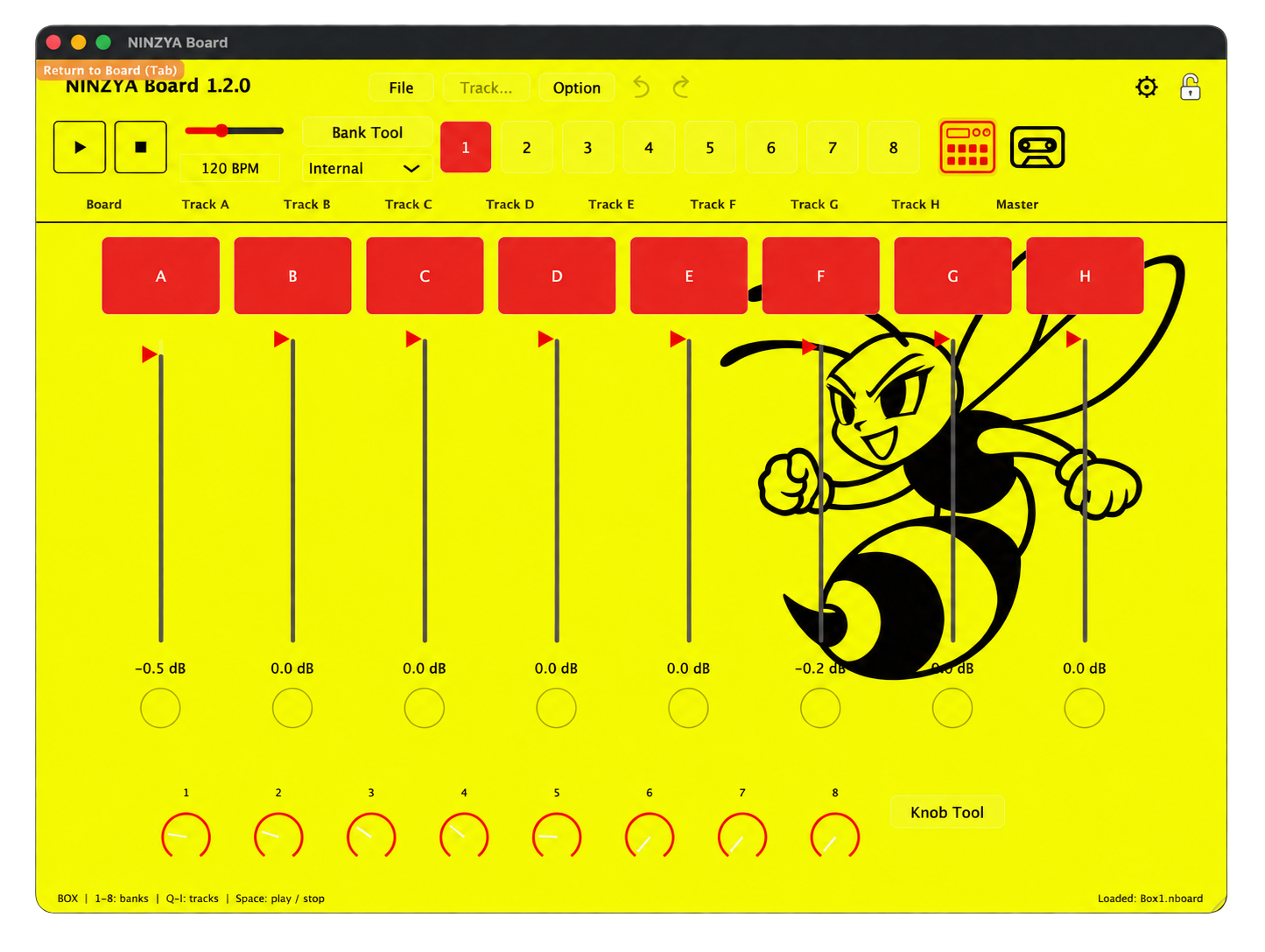
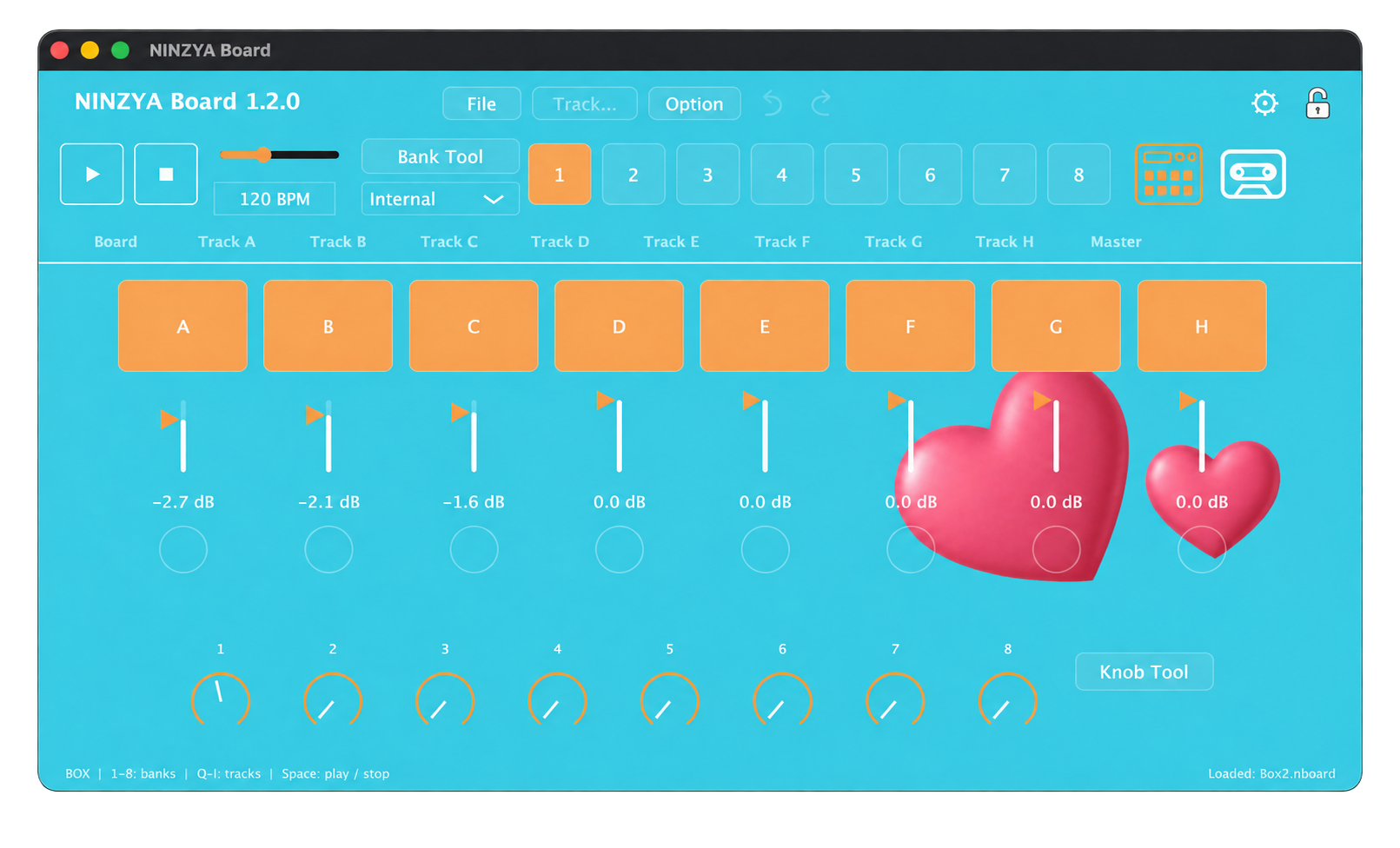
背景やアクセント、フェーダーの色を変えたり、Stickerで好きな画像を重ねたりできます。
Link対応の外部ハード、アプリとのセッションが可能になりました。スタンドアロン版で利用できます。
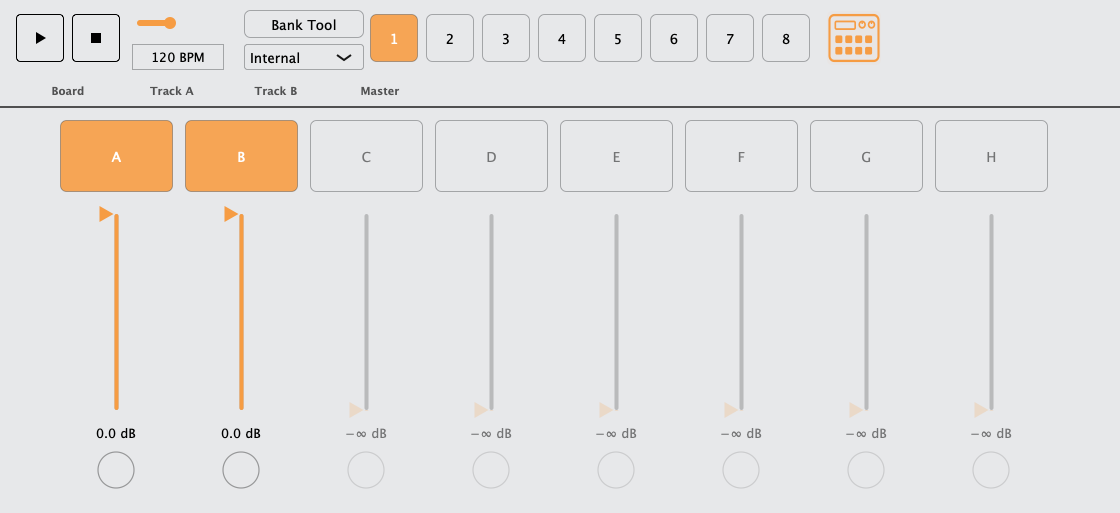
最大2 Track、外部プラグインは各Trackに3個まで。内蔵モジュールはすべて使えます。DAW内では、Instrument版とEffect版を合わせて1インスタンスが動作します。
Windows/Mac版を配布中です。
最大8 Trackで音源やエフェクトを組み合わせて演奏できます。外部プラグインを各Trackに3個までとする制限はありません。
Windows/Mac版 販売中
読み込む外部プラグイン本体と、そのプラグインの正規ライセンスは別途必要です。
プラグインをボックスとして置き、端子同士をドラッグして接続。配置や配線を見ながら、自分だけの組み合わせをつくれます。
音源やエフェクトを線でつなぎ、レイヤーや並列のエフェクト経路を構成。プラグインを差し替えながら、音の組み合わせを試せます。
プラグインの画面は、使うときにVisibleで表示し、使わないときはGhostへ。Pinで開いたままにもでき、ボードを広く使えます。
Piano Rollで打ち込み、MIDI PlayerでMIDIファイルを再生。OneShotでドラムを組み、Chopでサンプルを分割できます。Step、Bipolar、LFO、Randomの変化はMappingを使って複数のパラメーターへ送れます。
Knob Toolでよく使うパラメーターをマクロつまみにまとめ、MIDI Learnで外部コントローラーのつまみを割り当てられます。
有料製品は、1ライセンスにつき最大3台のコンピューターで認証できます。
Available for Windows and Mac
Patch your sounds. Build a groove.
NINZYA Board 1.2.1 combines freeform audio and MIDI patching with a groovebox for live performance. Wire up instruments and effects, build patterns with built-in modules, then play them in BOX view. Use Board as a standalone application or as an AU or VST3 plug-in. In the standalone app, Ableton Link lets you join sessions with others.
The in-app tutorial tour guides new users through adding a module, connecting it, and making their first sound.
Export a project from NINZYA Board M (sold separately) and open it in Board 1.3.0 on Mac or Windows to keep working. (Unsupported plug-ins are loaded as empty racks.)
Since 1.2.0, we’ve added four instruments and seven effects so you can make a track with the built-in modules. The redesigned Piano Roll can show only the notes in your chosen scale.
28 built-in modules · 6 Instruments · 7 Effects · 9 MIDI tools · 4 Audio tools · 2 Customization tools
Explore NINZYA Board MBuild drum and bass parts on separate tracks and prepare patterns in eight Banks. Queue Bank changes, mute tracks and adjust faders as you play. You can also assign MIDI keyboard notes to Bank changes and track mutes.
Arm the cassette recorder to capture Board’s output as a 24-bit stereo WAV. Recording is available in BOX view in the standalone app and in AU and VST3.
Customize the background, accents and fader colors, and add your own images with Sticker.
Join sessions with Link-enabled hardware and apps. Available in the standalone version.
Use up to two tracks and three external plug-ins per track. All built-in modules are available. One Instrument or Effect instance runs at a time in a DAW.
Available for Windows and Mac.
Build and perform with up to eight tracks. The Full edition has no three-external-plug-in limit per track.
Available for Windows and Mac
The original external plug-ins and their valid licenses are required separately.
Place plug-ins as boxes and drag between their ports to connect them. Explore your own combinations while keeping the layout and signal flow in view.
Connect instruments and effects to create layers and parallel effects paths. Swap plug-ins and explore different combinations of sounds.
Open plug-in editors in Visible mode when you need them and let them return to Ghost when you don’t. Use Pin to keep an editor open and leave room on your board.
Write notes with Piano Roll or play MIDI files with MIDI Player. Build drum patterns with OneShot and slice samples with Chop. Use Mapping to send modulation from Step, Bipolar, LFO or Random to several parameters.
Use Knob Tool to group frequently used parameters on macro knobs. MIDI Learn assigns a hardware controller knob to a macro.
Paid products can be activated on up to three computers per license.
Windows/Mac 版现已发售
连接声音,编排律动。
NINZYA Board 1.2.1 结合了自由的音频与 MIDI 连线和 Groovebox 演奏功能。连接音源与效果器,用内置模块编写段落,再在 BOX 界面中演奏。提供独立应用以及 AU、VST3 插件。独立版还可通过 Ableton Link 与他人加入同一会话。
新增应用内互动教程,从添加模块、连接端口到发出第一个声音,跟着屏幕提示操作即可。
从 NINZYA Board M(需另行购买)导出工程,在 Mac 或 Windows 上的 Board 1.3.0 中打开并继续制作。(不支持的插件将以空机架的形式载入。)
相比 1.2.0,新增 4 种音源和 7 种效果器,仅用内置模块就能完成一首曲子。钢琴卷帘也经过大幅改进,开启音阶功能后只显示所选音阶中的音符。
共 28 个内置模块 · 音源 6 · 效果器 7 · MIDI 工具 9 · 音频工具 4 · 自定义工具 2
查看 NINZYA Board M在不同轨道上编排鼓组和贝斯,将段落保存在八个 Bank 中。演奏时可以预约切换 Bank、切换轨道静音和调整推子,也可以用 MIDI 键盘触发 Bank 切换和轨道静音。
启用盒式录音按钮,即可将 Board 的输出保存为 24 位立体声 WAV。独立版、AU 和 VST3 的 BOX 界面均可录音。
可以自定义背景、强调色和推子颜色,也可以用 Sticker 添加自己喜欢的图片。
现在可与支持 Link 的外部硬件和应用加入同一会话。此功能适用于独立版。
最多使用两条轨道,每条轨道可加载三个外部插件。所有内置模块均可使用。在 DAW 中,Instrument 和 Effect 版本合计可运行一个实例。
提供 Windows/Mac 版下载。
最多使用八条轨道进行编排与演奏。Full 版没有每条轨道最多三个外部插件的限制。
Windows/Mac 版现已发售
需要另行安装外部插件本体,并持有相应的有效许可证。
将插件作为方块放置,拖动端口进行连接。查看布局与连线,探索自己的插件组合。
连接音源与效果器,构建叠层音色和并联效果路径。替换插件,尝试不同的声音组合。
需要时以 Visible 显示插件界面,不用时回到 Ghost。使用 Pin 保持界面打开,为面板留出更多空间。
使用 Piano Roll 编写音符,或用 MIDI Player 播放 MIDI 文件。用 OneShot 编写鼓组节奏,用 Chop 切分采样。通过 Mapping 将 Step、Bipolar、LFO 或 Random 的调制发送到多个参数。
使用 Knob Tool 将常用参数分配到宏旋钮,再通过 MIDI Learn 绑定硬件控制器的旋钮。
每个付费产品许可证最多可在三台电脑上激活。
Disponible pour Windows et Mac
Reliez vos sons. Composez votre groove.
NINZYA Board 1.2.1 réunit le routage libre de l’audio et du MIDI et une groovebox pour jouer en direct. Reliez vos instruments et effets, créez des motifs avec les modules intégrés, puis jouez dans la vue BOX. Board est disponible en application autonome et en plug-in AU ou VST3. Avec l’application autonome, Ableton Link permet de rejoindre des sessions avec d’autres personnes.
Le tutoriel intégré vous guide pour ajouter un module, le connecter et produire votre premier son.
Exportez votre projet depuis NINZYA Board M (vendu séparément) et ouvrez-le dans Board 1.3.0 sur Mac ou Windows pour poursuivre votre travail. (Les plug-ins non pris en charge sont chargés sous forme de racks vides.)
Depuis la version 1.2.0, quatre instruments et sept effets ont été ajoutés. Vous pouvez créer un morceau avec les modules intégrés. Le Piano Roll repensé peut afficher uniquement les notes de la gamme choisie.
28 modules intégrés · 6 Instruments · 7 Effets · 9 Outils MIDI · 4 Outils audio · 2 Outils de personnalisation
Découvrir NINZYA Board MCréez des parties de batterie et de basse sur des pistes distinctes et préparez des motifs dans huit banques. Programmez le passage à une autre banque, coupez des pistes et ajustez les faders en jouant. Un clavier MIDI peut aussi commander les banques et la mise en sourdine.
Armez l’enregistreur à cassette pour capturer la sortie de Board en WAV stéréo 24 bits. L’enregistrement est disponible dans la vue BOX de l’application autonome et des plug-ins AU et VST3.
Personnalisez le fond, les couleurs d’accentuation et celles des faders, puis ajoutez vos images avec Sticker.
Rejoignez des sessions avec des appareils et applications compatibles Link. Disponible dans la version autonome.
Utilisez jusqu’à deux pistes et trois plug-ins externes par piste. Tous les modules intégrés sont disponibles. Une instance Instrument ou Effect fonctionne à la fois dans un DAW.
Disponible pour Windows et Mac.
Créez et jouez avec jusqu’à huit pistes. L’édition Full ne comporte pas la limite de trois plug-ins externes par piste.
Disponible pour Windows et Mac
Les plug-ins externes d’origine et leurs licences valides sont nécessaires séparément.
Placez les plug-ins sous forme de blocs, puis reliez leurs ports par glisser-déposer. Explorez vos propres associations en gardant les connexions sous les yeux.
Reliez instruments et effets pour créer des couches sonores et des chemins parallèles. Remplacez les plug-ins pour essayer d’autres associations.
Ouvrez les interfaces en mode Visible quand vous en avez besoin et laissez-les revenir en Ghost ensuite. Pin permet de garder une interface ouverte.
Écrivez des notes avec Piano Roll ou lisez des fichiers MIDI avec MIDI Player. Créez des rythmes avec OneShot et découpez des échantillons avec Chop. Mapping distribue la modulation de Step, Bipolar, LFO ou Random à plusieurs paramètres.
Regroupez les paramètres fréquemment utilisés sur les macros avec Knob Tool. MIDI Learn permet d’associer un bouton de votre contrôleur à une macro.
Les produits payants peuvent être activés sur trois ordinateurs maximum par licence.
Für Windows und Mac erhältlich
Klänge verbinden. Grooves gestalten.
NINZYA Board 1.2.1 verbindet freies Audio- und MIDI-Routing mit einer Groovebox für Live-Performances. Verbinden Sie Instrumente und Effekte, erstellen Sie Patterns mit integrierten Modulen und spielen Sie sie in der BOX-Ansicht. Board ist als eigenständige Anwendung sowie als AU- oder VST3-Plug-in verfügbar. Mit der Standalone-App können Sie über Ableton Link an Sessions mit anderen teilnehmen.
Die integrierte Einführung zeigt dir, wie du ein Modul hinzufügst, es verbindest und deinen ersten Ton spielst.
Exportiere dein Projekt aus NINZYA Board M (separat erhältlich) und arbeite in Board 1.3.0 auf dem Mac oder unter Windows daran weiter. (Nicht unterstützte Plug-ins werden als leere Racks geladen.)
Seit Version 1.2.0 sind vier Instrumente und sieben Effekte hinzugekommen. Damit kannst du einen Track mit den integrierten Modulen erstellen. Die überarbeitete Piano Roll kann nur die Töne der gewählten Tonleiter anzeigen.
28 integrierte Module · 6 Instrumente · 7 Effekte · 9 MIDI-Werkzeuge · 4 Audiowerkzeuge · 2 Anpassungswerkzeuge
NINZYA Board M ansehenErstellen Sie Schlagzeug- und Bassparts auf getrennten Spuren und bereiten Sie Patterns in acht Bänken vor. Merken Sie Bankwechsel vor, schalten Sie Spuren stumm und mischen Sie mit den Fadern. Bankwechsel und Stummschaltung lassen sich auch einem MIDI-Keyboard zuweisen.
Aktivieren Sie den Kassettenrekorder, um die Ausgabe von Board als 24-Bit-Stereo-WAV aufzunehmen. Die Aufnahme ist in der BOX-Ansicht der eigenständigen App sowie in AU und VST3 verfügbar.
Passen Sie Hintergrund, Akzentfarben und Faderfarben an und fügen Sie mit Sticker eigene Bilder hinzu.
Nehmen Sie an Sessions mit Link-fähiger Hardware und Apps teil. Verfügbar in der Standalone-Version.
Bis zu zwei Spuren mit jeweils drei externen Plug-ins. Alle integrierten Module sind verfügbar. In einer DAW ist jeweils eine Instrument- oder Effect-Instanz aktiv.
Für Windows und Mac zum Download verfügbar.
Erstellen und spielen Sie Setups mit bis zu acht Spuren. Die Begrenzung auf drei externe Plug-ins pro Spur entfällt in der Full-Edition.
Für Windows und Mac erhältlich
Die externen Original-Plug-ins und ihre gültigen Lizenzen werden separat benötigt.
Platzieren Sie Plug-ins als Boxen und ziehen Sie Verbindungen zwischen ihren Anschlüssen. Erkunden Sie eigene Kombinationen mit einer übersichtlichen Anordnung.
Verbinden Sie Instrumente und Effekte zu Klangschichten und parallelen Effektwegen. Tauschen Sie Plug-ins aus und probieren Sie neue Kombinationen.
Öffnen Sie Plug-in-Oberflächen bei Bedarf als Visible und lassen Sie sie danach zu Ghost zurückkehren. Mit Pin bleiben sie geöffnet.
Schreiben Sie Noten im Piano Roll oder spielen Sie MIDI-Dateien mit MIDI Player ab. Erstellen Sie Drum-Patterns mit OneShot und teilen Sie Samples mit Chop. Mapping verteilt die Modulation von Step, Bipolar, LFO oder Random auf mehrere Parameter.
Fassen Sie häufig genutzte Parameter mit Knob Tool auf Makroreglern zusammen. Mit MIDI Learn weisen Sie einem Makro einen Regler Ihres Controllers zu.
Kostenpflichtige Produkte können pro Lizenz auf bis zu drei Computern aktiviert werden.